What error 1027 means
Cloudflare's list of Workers error codes gives 1027 one meaning: the Worker exceeded the free tier daily request limit. Accounts on the Workers Free plan may serve 100,000 Worker requests a day. Past that, Cloudflare answers requests to the account's Workers with error 1027.
It is not a bug in your code, and redeploying does not clear it. A Worker that throws an exception gets error 1101 instead, and one that runs out of CPU time or memory gets 1102.
Requests to every Worker in the account count toward the 100,000. So do requests to Pages Functions in the same account: Cloudflare's own example is 50,000 Functions requests and 50,000 Workers requests, and the day is used up. Workflow executions share the same daily limit.
Requests for static assets that run no Worker code are free and unlimited, and do not count.
Why every Worker in the account stops
The limit belongs to the account, not to a Worker. One busy Worker spends the requests of all the others. A crawler on one API, a client retrying in a loop or a test Worker left running can take down a production site in the same account.
Spreading the work over more Workers does not help. Moving a noisy Worker to a separate account does: each account has its own 100,000.
Free plan: one day of requestsDemo data
What visitors get
That depends on how the request reaches the Worker. Each route has a fail mode:
| Route mode | Past the daily limit |
|---|---|
| Fail closed | Cloudflare returns its 1027 error page. Cloudflare suggests this mode for security-critical Workers. |
| Fail open | The Worker is bypassed. Requests behave as if no Worker were configured on the route. |
A Worker with static assets keeps serving the files that need no Worker code. Requests that match run_worker_first patterns always run the Worker, so past the limit they get a 429 Too Many Requests response instead of the asset.
When it ends
The count resets at midnight UTC, whatever your time zone. On the Free plan nothing else brings the Workers back. An account that runs out at noon UTC is down for twelve hours.
The other way out is Workers Paid. It has no daily request limit. It costs at least $5 a month per account and includes 10 million requests a month, then $0.30 per additional million.
The other daily limits work the same way
Requests are not the only thing Workers Free counts per day. KV, D1, Durable Objects, Queues, Workflows and Workers AI have daily limits too, counted per account. KV, D1, Durable Objects and Workers AI reset theirs at 00:00 UTC. They do not return error 1027. Past one of them, operations of that kind fail with an error inside your code: the Worker still runs, and its calls to that product fail.
The smallest numbers are KV's: 1,000 writes, 1,000 deletes and 1,000 list requests a day. D1 allows 5 million rows read and 100,000 rows written a day. Every one is on the Workers Free limits page, with the check that watches it.
How Ambersight warns before it
The check budget:free-daily-requests counts the account's requests for the UTC day after every scan:
| Requests today | Finding | Where it goes by default |
|---|---|---|
| 70,000 (70%) | Warning, with the time you will hit the limit at today's pace, or that you should stay under it | The digest, or any channel you choose |
| 90,000 (90%) | Critical | E-mailed right away |
Both lines can be changed (budgetWarn 0.7 and budgetCritical 0.9). The same 70% and 90% apply to the KV, D1, Durable Objects, Queues, Workflows and Workers AI daily limits. Alerts can go to e-mail, Slack, Discord, Telegram or a webhook.
Ambersight scans every hour by default, and you can set anything from 15 minutes to 24 hours. It detects the plan with the token's Billing Read permission and hides the request budget on Workers Paid. Watching costs little: with 30 Workers it uses well under 1% of the daily requests and 1 of the 5 Cron Triggers.
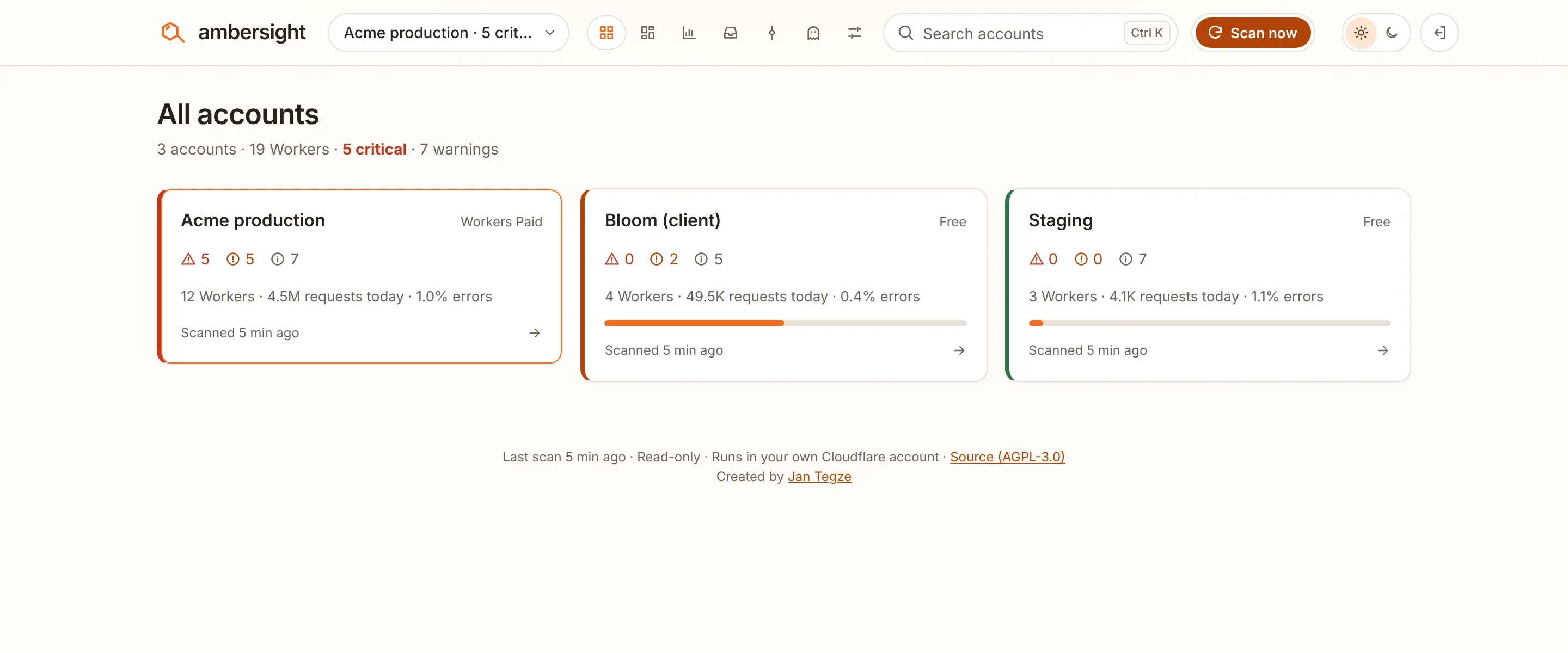
All accountsDemo fleet
What to do
- Find the Worker that used the requests. Ambersight's overview shows which Worker drives the traffic. In the Cloudflare dashboard, open each Worker's metrics.
- Decide whether the traffic is real. If it is, move the account to Workers Paid. If it is a loop or a crawler, fix that first, or the same thing happens tomorrow.
- Serve what you can as static assets. Requests for static assets that run no Worker code are free and do not count.
- Choose each route's fail mode on purpose. Fail closed shows the 1027 page. Fail open lets requests through without the Worker.
- Separate test Workers from production with a second account, so a test cannot use up production's requests.
Past the limit, the only remedies are waiting for midnight UTC or upgrading. The warning at 70% is there to give you the time to choose.
Sources
Every Cloudflare limit, price and error code on this page comes from Cloudflare's documentation, read on . Cloudflare changes these pages. When a number here and Cloudflare's page disagree, Cloudflare's page is right.
| Cloudflare page | Used for | Page updated |
|---|---|---|
| Workers: Limits, Daily requests | The 100,000 daily requests, the reset at midnight UTC, error 1027, fail open and fail closed | |
| Workers: Errors and exceptions | The meaning of error codes 1027 and 1102 | |
| Pages Functions: Pricing | Pages Functions requests count toward the same 100,000 | |
| Workflows: Limits | Workflow executions share the Workers daily limit | |
| Static assets: Billing and limitations | Static asset requests are free; run_worker_first requests get a 429 past the limit | |
| Workers: Pricing | Workers Paid: $5 a month minimum, 10 million requests included, then $0.30 per million | |
| Workers KV: Pricing | KV daily limits on Workers Free | |
| D1: Pricing | D1 daily limits on Workers Free |